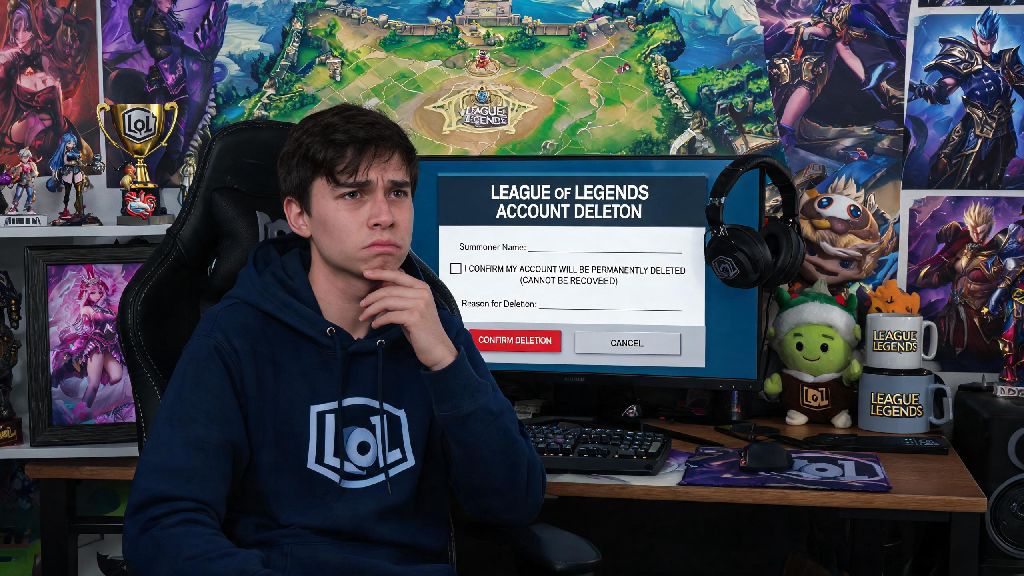
If you’ve spent hours grinding ranked, collected dozens of skins, or just found yourself spending too much time on Summoner’s Rift, you might be looking for how to delete League of Legends account permanently. It’s not as straightforward as clicking a delete button in your settings, and there are a few important steps you need to take before you submit your request to avoid losing access to other Riot games you might still play. I’ve helped dozens of friends walk through this process after they decided to take a break from gaming entirely or switch to a new account, so I’ll walk you through every step, common pitfalls to avoid, and what you can expect after you hit submit.
How to Delete League of Legends Account: Full Step-by-Step Walkthrough
Riot makes you go through a short verification process to make sure you’re the actual owner of the account, so you’ll need to have access to the email linked to your LoL account before you get started. If you don’t have access to that email, you’ll need to recover your account first through Riot’s support portal before you can request deletion. The full process takes less than 10 minutes if you have all your login details handy:
A lot of players skip checking which account they’re logged into, and accidentally delete their main account instead of a throwaway smurf they made for playing with low-rank friends. If you realize you submitted a request for the wrong account, you can cancel the deletion any time during the 30-day grace period by logging back into the account and following the prompt to reverse the request. You will not get any confirmation email once the account is fully deleted, so mark the 30-day end date on your calendar if you want to check that the process is complete. Once the 30 days are up, there’s no way to get your account back, so double check everything before you confirm.
Pre-Deletion Checks You Should Complete First
Before you even pull up the deletion form, there are a few things you should sort out to avoid regrets later. First, list all Riot games you’ve used this account to play – deleting your LoL account will also delete your access to Valorant, Teamfight Tactics mobile, Legends of Runeterra, and any other Riot titles linked to the same Riot ID. If you still play any of those games, you’ll want to keep your account active, or transfer your progress if that’s an option (it usually isn’t, unfortunately). If you’re still unsure if you want to go through with how to delete League of Legends account, you can reach out to Riot support with any questions before you submit your request.
Next, if you have any unused Riot Points or unused skin shards, you might want to use them before you submit your request, or gift them to a friend if that’s allowed. Riot won’t refund any unused purchases after your account is deleted, and you won’t be able to transfer those items to another account. Also, if you’re part of any club or have active friend groups you play with, send them a quick message to let them know you’re deleting your account, so they don’t wonder why you disappeared from their friend list. A lot of players forget this step, and end up losing touch with people they’ve played with for years because they didn’t take 2 minutes to send a heads up.
Common Myths About Deleting Your LoL Account, Debunked
I’ve heard a lot of wrong information floating around Reddit and Discord servers about how account deletion works for LoL, so I wanted to clear up the most common misconceptions. First, deleting your account is not the same as banning it. If you delete your account, you can make a new account later with the same email, as long as the old account is fully deleted. A ban, on the other hand, is linked to both your email and IP address in most cases, so you won’t be able to make a new account with the same details. Another myth is that Riot keeps your account data forever, even after you delete it. Once the 30-day grace period ends, Riot wipes all your personal data, including your match history, chat logs, and purchase history, in compliance with global data privacy laws. The only exception is if they are required to keep some data for legal reasons, like an ongoing investigation into account misconduct.
You also don’t need to have a “good” reason to delete your account. A lot of players think they have to prove they’re being harassed or have a valid excuse to get their request approved, but that’s not true. Riot approves every valid deletion request from the account owner, no matter what reason you provide, or if you don’t provide a reason at all. The only time a request gets rejected is if you can’t prove you own the account, or if there’s an active ticket open for that account related to a ban or payment dispute.
What to Do If You Don’t Want to Delete Your Account Permanently
If you’re just feeling burnt out from ranked grind or are tired of toxic teammates, permanent deletion might be too extreme of a step. There are a few less permanent options you can try first, if you’re on the fence. First, take a break by uninstalling the game instead of deleting your account. You can keep all your skins, rank progress, and friend list, and come back whenever you feel like playing again, no questions asked. A lot of players find that a 2-4 week break is enough to reset their frustration and enjoy the game again when they come back. Another option is to make a new smurf account to play unranked games with friends, or try out new champions without worrying about ruining your rank on your main account. This works really well if you’re just tired of the pressure of ranked play, but still enjoy playing the game casually.
If you’re dealing with harassment from other players, you can also block those users, or adjust your in-game settings to turn off chat entirely, instead of deleting your account. Riot also has a support team that can help you deal with repeated harassment if you submit a report with evidence. You don’t have to give up all your progress just because a few players are being rude. I’ve seen players delete years of progress over a single bad ranked game, and regret it a week later when they want to play with their friends, so take a day to think it over before you submit your deletion request.
At the end of the day, whether you decide to step away from LoL for good or just take a short break, the process of managing your account should be simple and stress-free. If you’re 100% sure you don’t want access to your account or any of your in-game progress anymore, knowing how to delete League of Legends account properly will help you avoid mistakes that could cost you years of progress on the wrong account, or leave you waiting longer than necessary for your request to be processed. Take the time to run through the pre-deletion checks first, confirm you’re deleting the right account, and make use of the 30-day grace period if you change your mind. There’s no shame in stepping away from a game that’s no longer bringing you joy, and Riot’s process makes it easy to do so on your own terms.