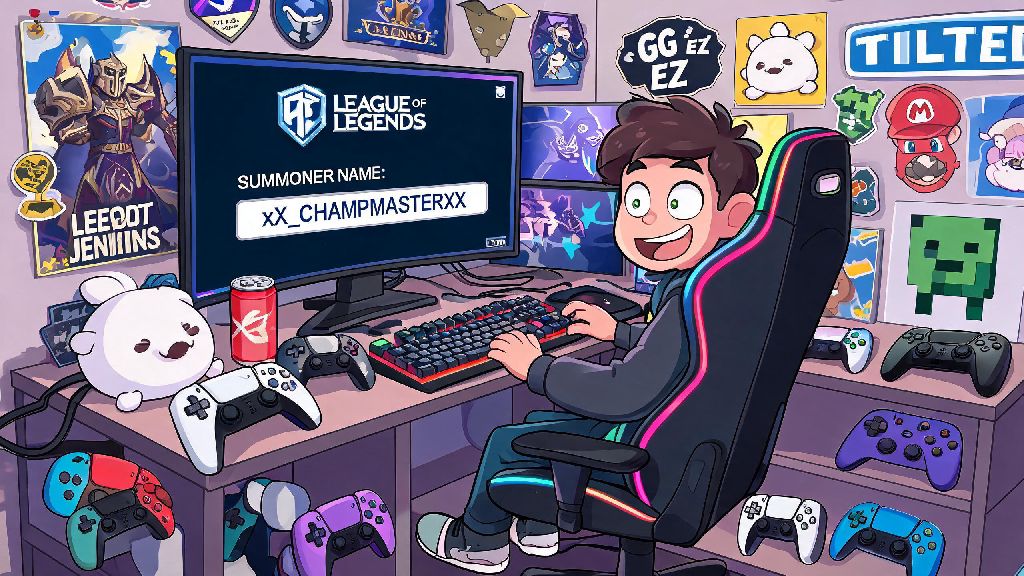
We've all been there, right? You picked a summoner name when you were 14 that references a long-dead meme no one gets anymore, or it's full of xX_ edgy prefixes that make you cringe every time you load into a ranked match. If you're wondering how do you change your name in League of Legends, you're not alone. Thousands of players go through this process every month to refresh their in-game identity, fix typos from when they first signed up, or rebrand after climbing to a higher rank. I've gone through three name changes myself over the years, so I've got all the ins and outs of what works, what doesn't, and how to avoid wasting your Riot Points on a rejected request.
How Do You Change Your Name in League of Legends: Step-by-Step Walkthrough
Before you start the process, there are a few things you should have ready to make everything go as smoothly as possible. I always recommend gathering these items first so you don't get stuck halfway through:
Once you have those ready, the actual process only takes a few minutes. First, head to the official Riot Games account login page, and enter your username and password. If you have two-factor authentication turned on (which you definitely should, for account security), you'll need to enter the code sent to your email or authenticator app next. Once you're logged in, navigate to the "Account Settings" tab on the left-hand menu, then look for the "Summoner Name Change" option listed under the LoL section.
You can only complete name changes through the official Riot account website, not the in-game client, so don't waste time digging through client settings looking for the option. Once you're on the name change page, type your desired name into the input field and click the "Check Availability" button. If it's available, you'll see a green checkmark pop up, and you can proceed to checkout. You'll need 1300 RP to complete the purchase, so if you don't have enough in your account, you'll be prompted to buy more before you finalize the change.
Riot does not offer free name changes under most circumstances, so don't bother reaching out to support asking for a free one unless your current name was forced on you after a policy violation, or you're dealing with a verified account security issue. Once you confirm the purchase, your name will update across all Riot games linked to your account, including Teamfight Tactics and Legends of Runeterra, within a few minutes.
Eligibility Rules and Costs for LoL Name Changes
Before you drop 1300 RP on a new name, there are a few rules you need to know to avoid wasting your money. First, the 1300 RP cost is standard across all regions, though the actual real-world price of RP varies slightly depending on where you live. For most players, that works out to around $10 USD, which is a small price to pay for a name you won't hate every time you log in.
Name changes do not transfer across regions, so if you play on both NA and EUW servers, you will need to pay for separate changes for each region. That's a common mistake I see players make, especially if they travel often and play on local servers to reduce ping. I learned this the hard way when I changed my name on NA before a trip to Europe, only to realize my EUW account still had my old cringey name when I logged in there.
There's also a 30-day cooldown on name changes, so once you switch to a new name, you won't be able to change it again for a full month. That rule is in place to prevent players from trolling others by changing their name every few days to avoid reports, so make sure you're 100% happy with your new name before you confirm the purchase. Another thing to note: your old summoner name will be locked for 90 days after you change it, and then it will be released for any other player to claim. If you're attached to your old name and want to keep it from being taken by someone else, make a free smurf account and claim it before the 90-day window ends. The only exception to that rule is if your old name was flagged as offensive, in which case it will be permanently removed from the available name pool.
What Counts as an Acceptable Summoner Name in LoL?
Riot has pretty strict naming guidelines to keep the game community respectful and safe for all players, so it's important to make sure your desired name fits those rules before you try to buy it. There's no worse feeling than spending 1300 RP on a name, only to have it reverted a week later because it violated policy, and you don't get a refund for that.
Names that include slurs, threats, or targeted harassment will be rejected automatically, and repeated attempts to use offensive names can lead to account restrictions that go far beyond just being forced to change your name. You also can't use names that impersonate Riot Games employees, pro players, or official League of Legends esports teams if you're using the name to scam or mislead other players. For example, if you name yourself "RiotSupport123" and start messaging other players asking for their account information, you will get banned very quickly.
You're allowed to use minor special characters like underscores, periods, and accented letters, but avoid using zero-width spaces or other hidden characters to make a name look like another popular player's name. Riot's system can detect those hidden characters, and your name will be reverted without a refund if you try to use them. A good rule of thumb is to ask yourself if you'd be comfortable saying your summoner name out loud to a stranger or a family member. If the answer is no, it's probably not a good choice. I once tried to change my name to a silly inside joke with my friends that included a slightly inappropriate phrase, and it got rejected immediately, so I learned that lesson the hard way.
Common Name Change Issues and How to Fix Them
Even if you follow all the rules, you might run into a few snags when trying to change your name, so let's go over the most common issues and how to fix them fast. The first issue most people run into is a name showing as available, but the system won't let you purchase it. That usually happens because the name is reserved for a permanently banned account, or it's on Riot's internal list of restricted names even if it doesn't obviously violate the public guidelines. The only fix here is to try a slightly different variation of the name, like adding a number at the end or swapping a letter for a similar-looking accented character that's allowed.
Another common issue is paying for a name change, but the name still shows as your old one in the client. That's usually just a syncing issue, so log out of the client completely, close all Riot-related processes in your task manager, and wait 5 minutes before logging back in. If the name still hasn't updated after 24 hours, you can reach out to Riot support with your purchase receipt, and they'll fix it for you for free.
Never share your account information with anyone offering to change your name for a cheaper price, as these are almost always scams that will lead to your account being stolen. The only safe way to change your name is through the official Riot website, no exceptions. The last common issue is your match history and leaderboard placements still showing your old name for a few days after the change. That's completely normal, as it takes time for all of Riot's servers to sync the new name across all records. You don't need to do anything to fix it, it will update on its own within 3 to 5 days.
At the end of the day, changing your LoL summoner name is a simple process as long as you follow Riot's rules and have the required RP on hand. If you're still wondering how do you change your name in League of Legends, just follow the steps we laid out earlier, double check that your desired name fits the community guidelines, and have your backup options ready if your first pick is taken. Your summoner name is the first thing other players see when you load into a match, so it's worth taking the time to pick one that you'll be happy with for months to come. I picked my current name after my go-to support main, and I haven't felt the urge to change it in over two years, so taking that extra minute to brainstorm pays off. Don't rush the process, and you'll end up with a name that feels like a perfect fit for your in-game identity.